See PurveyOS in action
Watch how PurveyOS makes selling by weight fast, simple, and reliable.
Guided tour
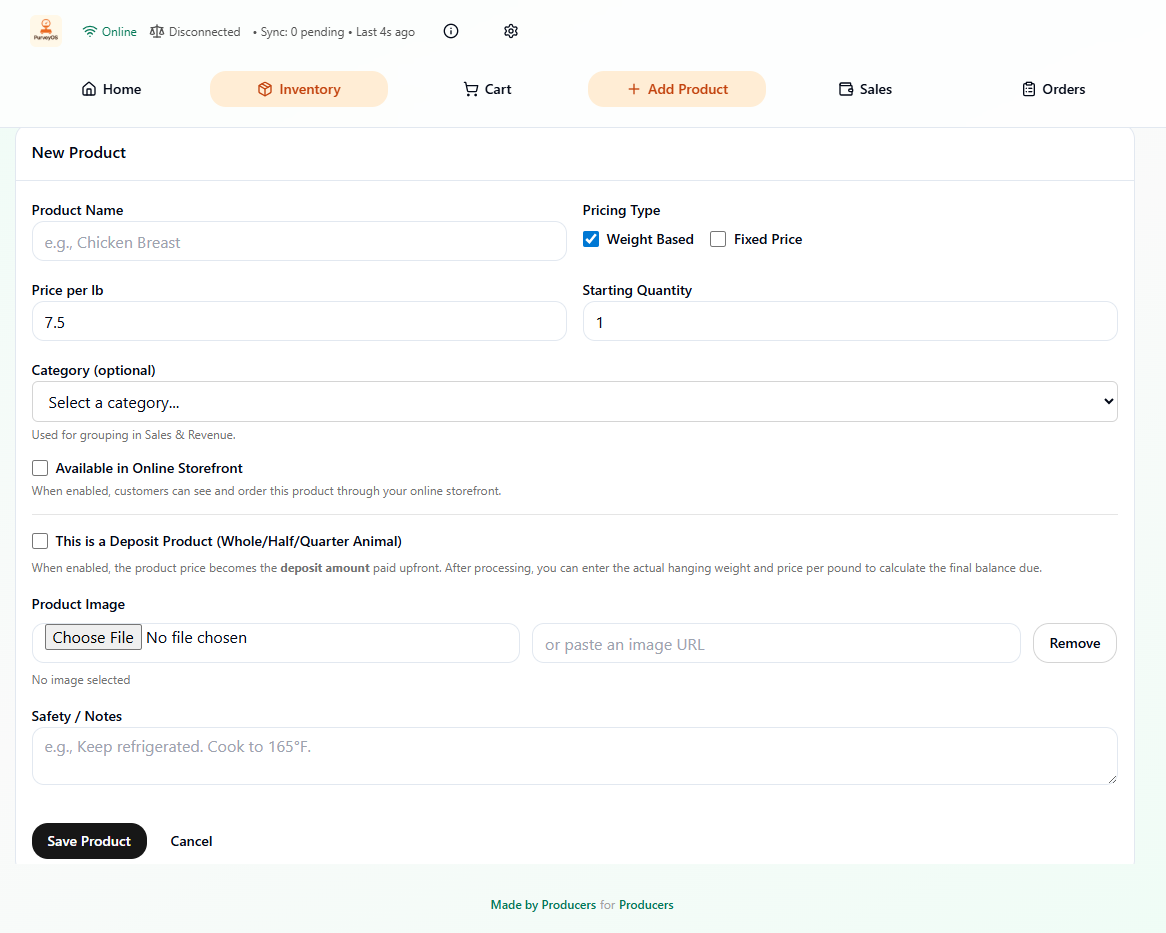
Add your products
Set up weight-based items (Retail Cuts, Produce), fixed-price products (eggs, jars, bundles). Deposit Products (Whole or half animals), or CSA Boxes
- •Sell by the lb or by the item
- •Set up deposit products (Deposit and hanging weight price)
- •Add CSA products and subscriptions
- •Set Online and Pre-Order settings
- •Add photos and descriptions
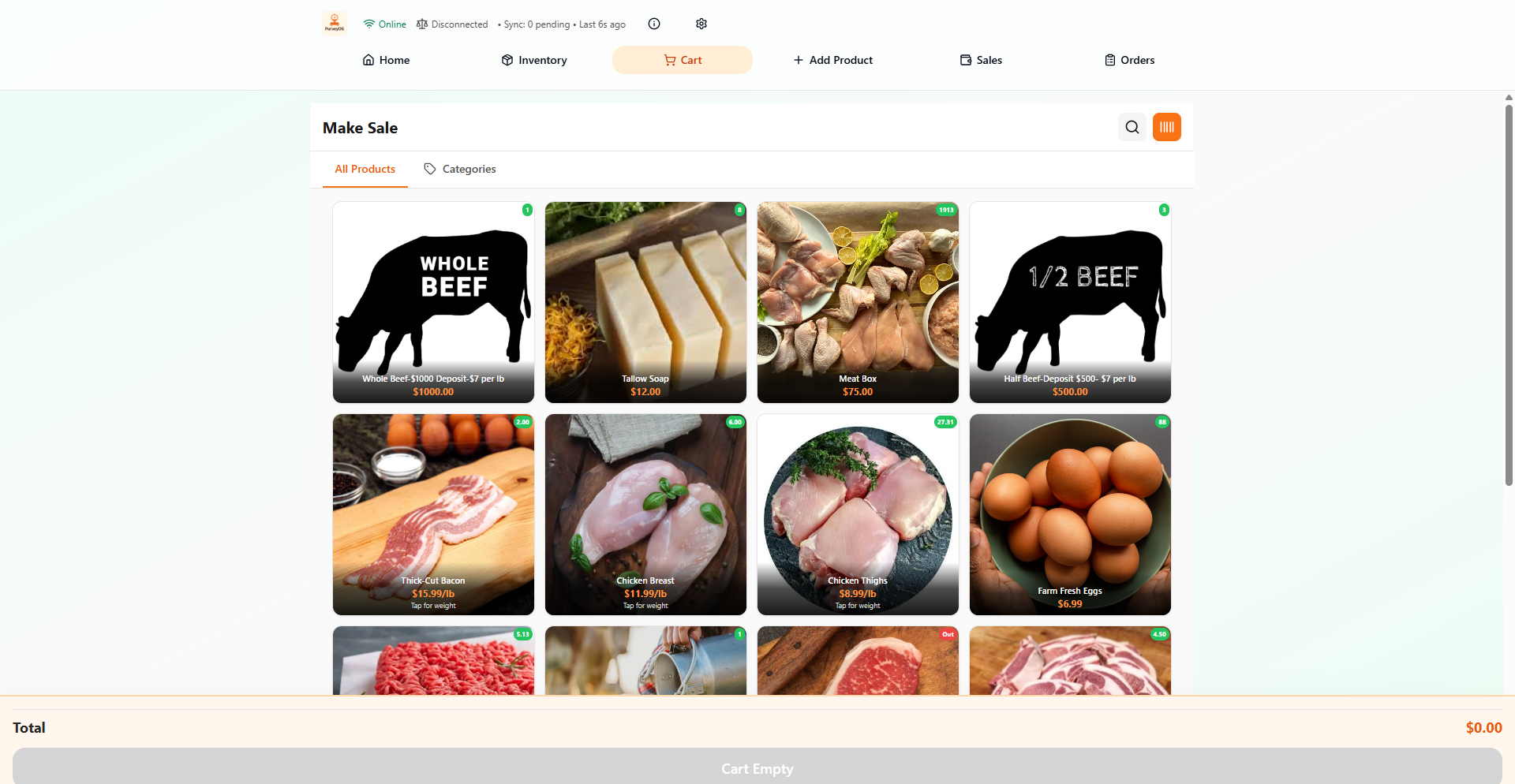
Ring up sales
Fast, intuitive checkout designed for farmers markets and farm stores. Select weight-based or fixed-price items, add to the cart, and choose payment methods.
- •Built for speed and ease-of-use
- •Accept cash, card, or mobile payments
- •Sell cash, zelle, venmo offline and sync later
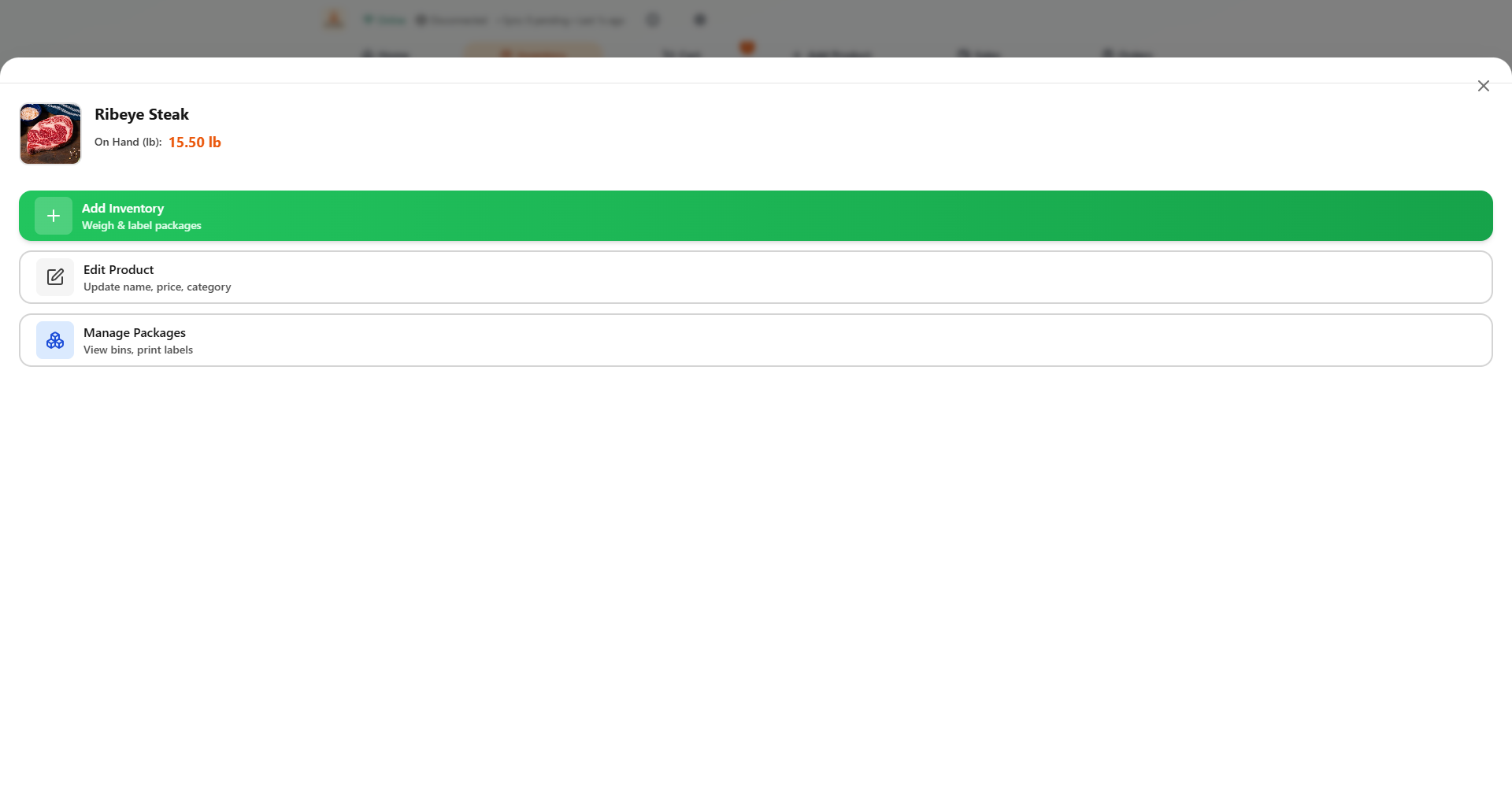
Manage inventory
See what's in stock, what's running low, and what you sold today. Everything updates in real-time.
- •Add product inventory
- •Edit Product details
- •Manage package inventory (Remove unsellable packages)
Launch your storefront
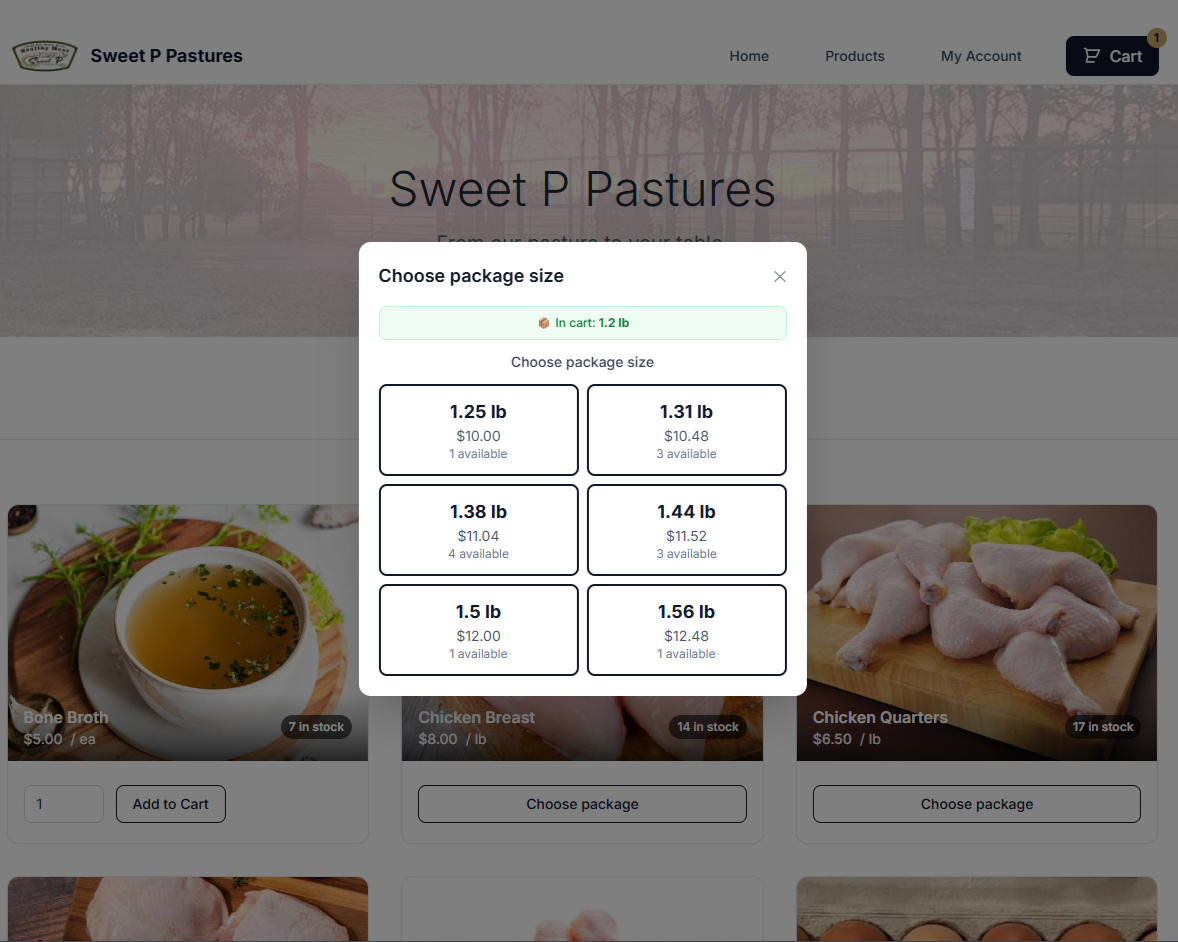
Customers can order online for pickup, delivery, or shipping through the standard PurveyOS subscription. Inventory stays synced across all channels.
- •Your storefront URL (YourFarm.purveyos.store)
- •Mobile-friendly design
- •Automatic order notifications
- •Expand your reach beyond the farmstand
Fulfill orders
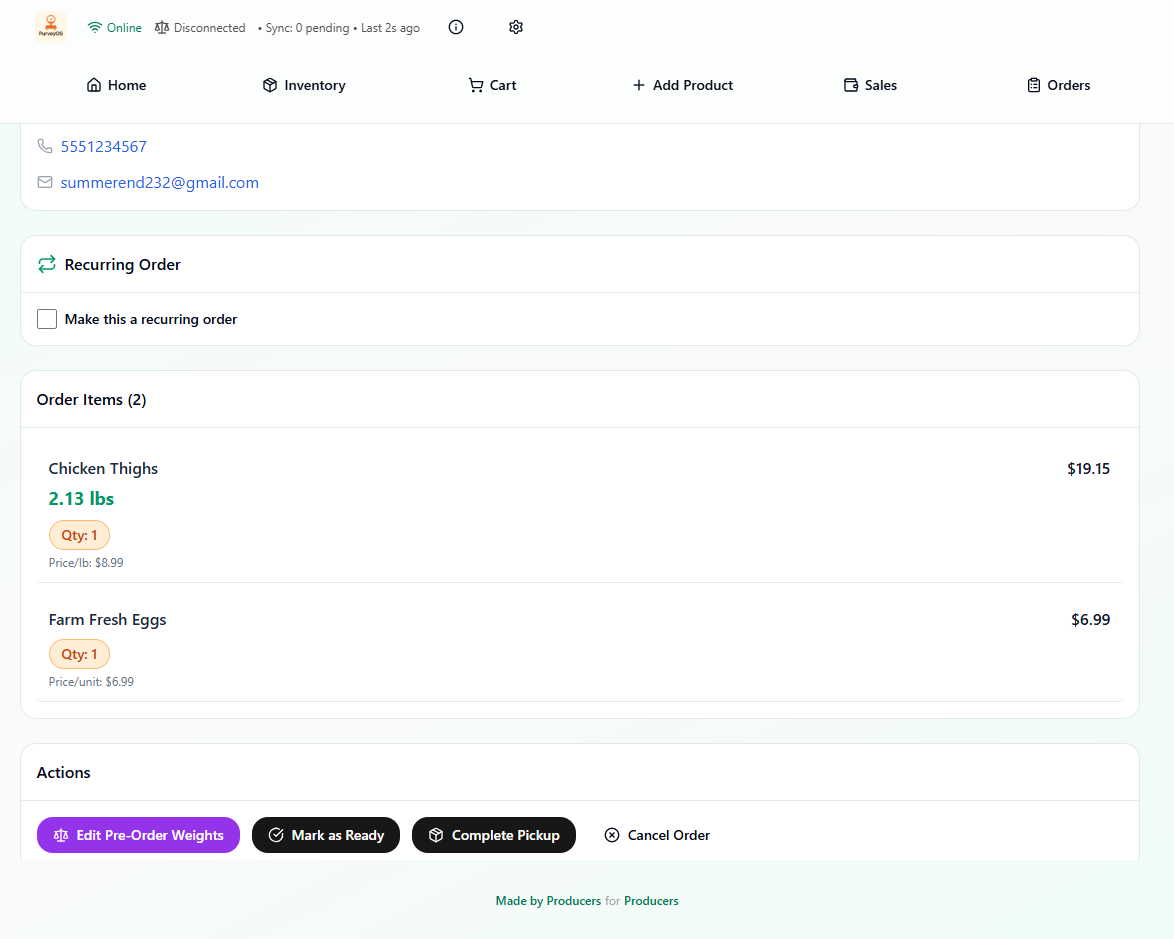
Pack orders with clear packing lists. Send pickup notifications. Keep customers updated.
- •Organized packing lists
- •Order status tracking
- •Customer communication
Ready to run your business on PurveyOS?
Move from exact-weight inventory to checkout, pickup fulfillment, and reporting in one connected workflow.
✓ Built by a producer
✓ Sell by weight or fixed price
✓ One inventory across online and in-person sales
✓ Offline-first workflows for real-world selling